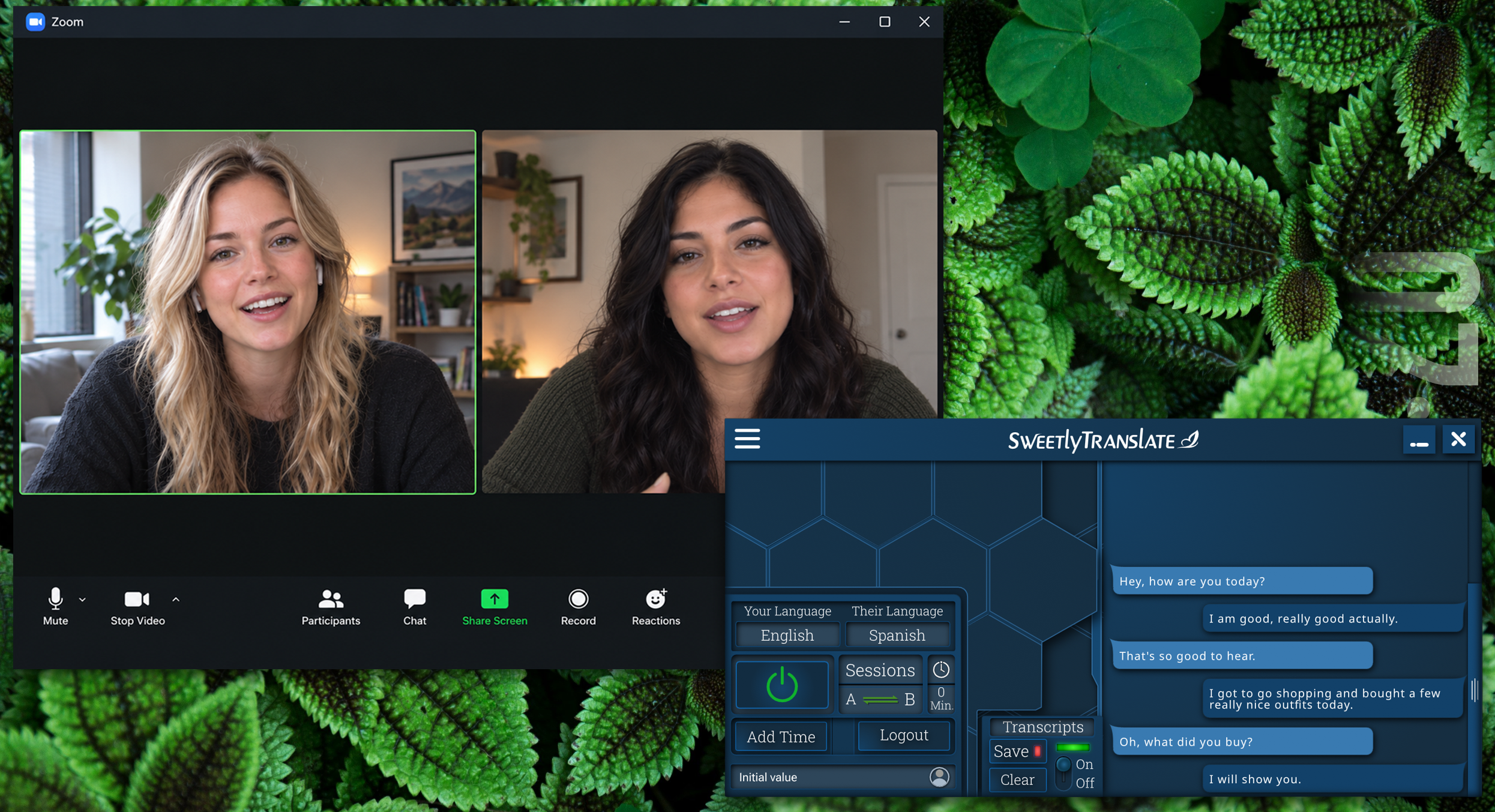
Sweetly Translate provides real-time, bidirectional voice translation for Zoom calls on Windows. You install Sweetly on your computer and configure it as the audio input and output for Zoom. The other participant does not need to install Sweetly.
You speak in your language and the other person hears the translated voice in theirs. Their speech is translated back to you in real time, allowing both participants to speak naturally.
Sweetly Translate vs VoiceLiveTranslator and VoxisLive for Zoom
Comparison last reviewed October 24, 2026. Features, supported languages, installation requirements, and pricing may change.
How to translate your calls in Zoom with Sweetly Translate.
Install and open Sweetly Translate on Windows.
In Sweetly settings select the languages and voices for both sides of the conversation.
In Sweetly settings select your physical mic and speakers/headphones.
In Zoom audio settings select the Sweetly A for your mic and Sweetly B for the output device.
Click the power button to start the translation sessions.
After a few seconds the session indicator arrows change from red to green and you will then be translated.
This can be done with any app you use for calls. Sweetly gives you the freedom to use the apps you already know and love.
Why Use Sweetly for Zoom Translation?
Bidirectional speech-to-speech translation.
Only one side needs to install Sweetly.
Sweetly has support for 154 languages.
High-quality male and female voices that sound natural.
Works on Windows 10 and Windows 11 both ARM64 and x64 architecture.
A lot of development went into having Sweetly give the most natural conversational flow and feel possible.
Sweetly was developed so you are not only heard, but understood correctly in the other person’s language.
Sweetly uses a proprietary conversational turn-detection system designed to reduce mid-sentence interruptions and preserve complete translations, including for people with atypical speech patterns.
See our pricing options
We offer several pricing options. Take a look and see if one is right for you. If you change your mind after trying everything you can cancel any time.
If you need a language translated that most other apps don’t seem to have check out our full list of languages Sweetly supports in high quality translated speech output.
 Sweetly translate